Kanvaz Guide
Free, open-source, 100% offline reference board for VFX and 3D artists.
Side Panel
Verified against Kanvaz v9.7.0.
The left rail is the home for everything that isn’t the canvas itself — four sections, each toggleable from its own rail icon or a shortcut, remembering whichever section you last had open.
| Section | Rail icon | Shortcut |
|---|---|---|
| Properties | sliders | E (with a card selected) |
| Layers | stacked squares | Shift+L |
| Tasks | checkbox | — (rail icon only) |
| Settings | gear | S |
Insert toggles the whole panel open/closed (remembering the last
section); PageUp/PageDown cycle between sections while it’s open.
Properties
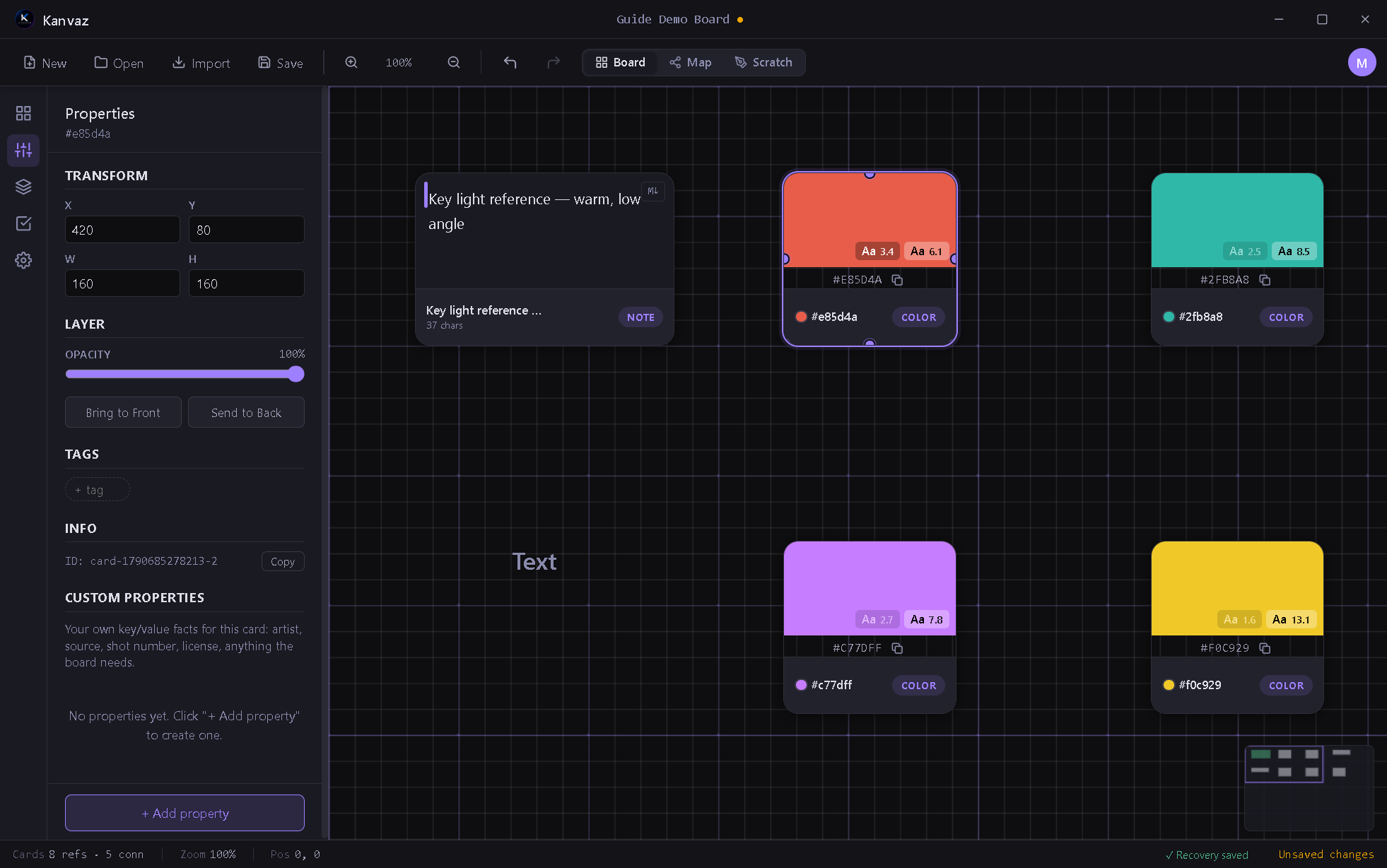
Everything about the selected card: transform (X/Y/W/H), layer controls (opacity, bring-to-front/send-to-back), tags, its internal ID, and — for text cards — font size and color. The Custom Properties section at the bottom is free-form key/value storage for whatever your workflow needs (artist, source, shot number, license, anything).
Layers
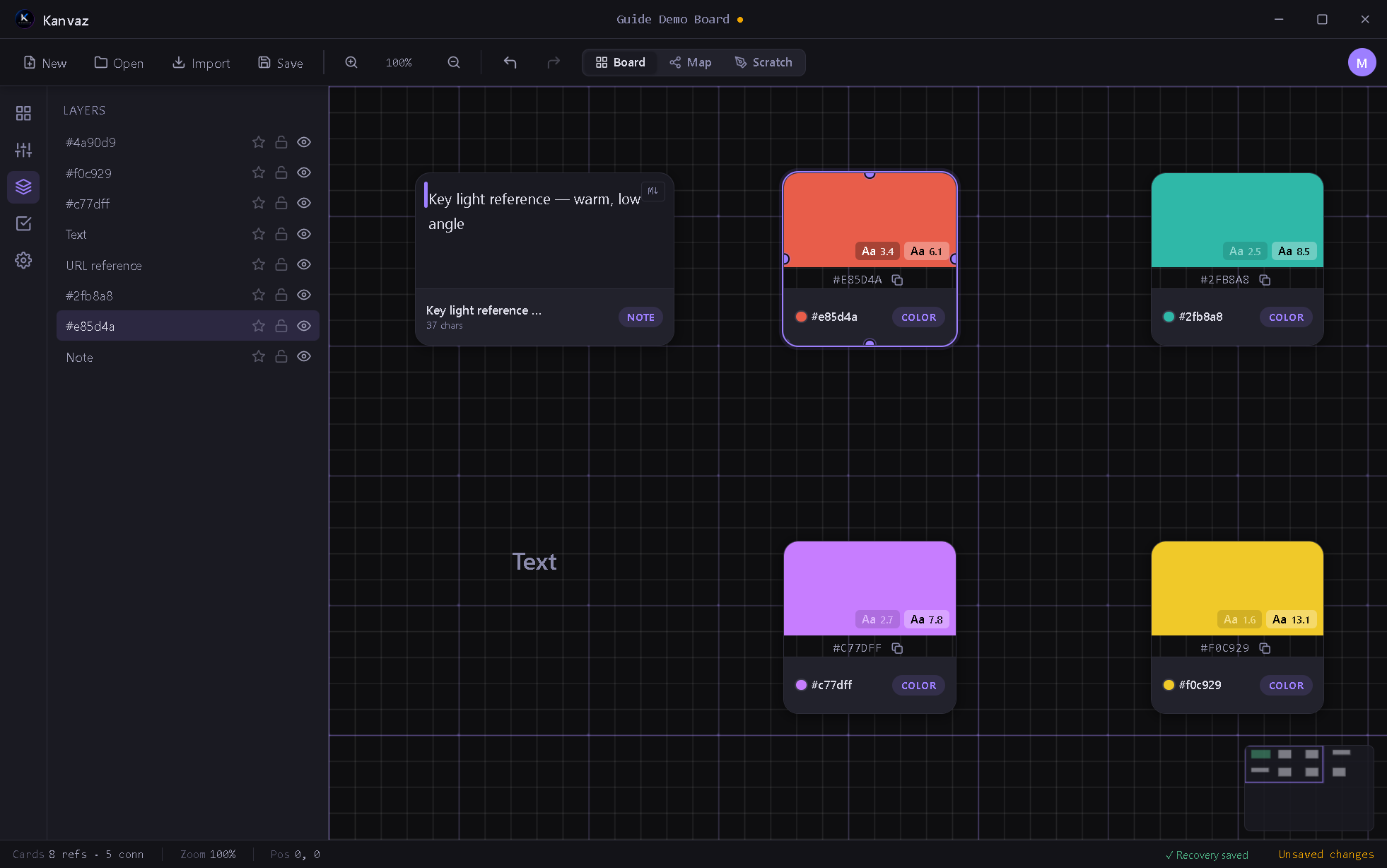
Every card on the board, top to bottom by z-order, with per-row star (favorite/pin), lock, and visibility toggles. Click a row to select that card on the canvas.
Tasks
A per-board checklist — see Task Tracker for the full guide, including subtasks and progress tracking.
Settings
The full options panel — see Settings for every option explained.
Related
- Board View — the canvas these panels operate on
- Keyboard Shortcuts — the complete key reference