Kanvaz Guide
Free, open-source, 100% offline reference board for VFX and 3D artists.
Keyboard Shortcuts
Verified against Kanvaz v9.7.0 — transcribed directly from src/shortcuts.js
and confirmed live against the in-app reference (? any time).
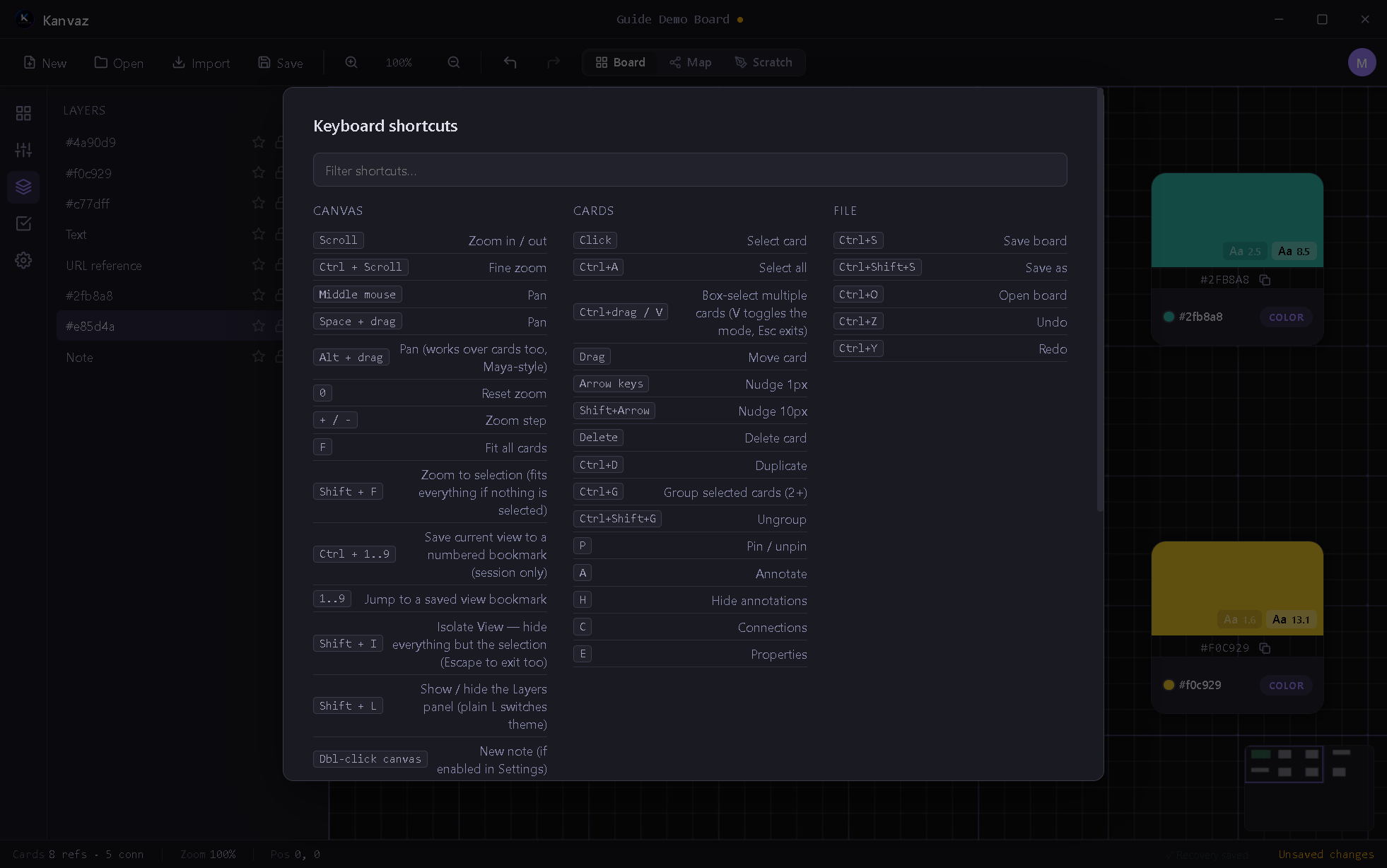
Press ? anywhere in Kanvaz to open this same reference with a
live filter box. A few of these (Save, Open, Command Palette, Home
Screen toggle, Top Mode, MoodLock) work even while a text field is focused —
noted below.
Always available
| Shortcut | Action |
|---|---|
Ctrl+S |
Save board |
Ctrl+Shift+S |
Save as |
Ctrl+O |
Open board |
Ctrl+F |
Search (routes to Map View’s search if Map is active) |
Ctrl+K |
Command Palette |
Ctrl+H |
Toggle Home Screen |
Ctrl+Shift+T |
Toggle Top Mode |
Left / Right |
While MoodLock is on: previous / next reference |
Ctrl+Shift+L |
MoodLock: isolate the selection and hide every toolbar (see Isolate View) |
Canvas
| Shortcut | Action |
|---|---|
| Scroll | Zoom in/out |
| Ctrl+Scroll | Fine zoom |
| Middle-mouse drag / Space+drag | Pan |
| Alt+drag | Pan (works over cards too, Maya-style) |
0 |
Reset zoom |
+ / - |
Zoom step |
F |
Fit all cards |
Shift+F |
Zoom to selection (fits everything if nothing selected) |
Ctrl+1..9 |
Save current view to a numbered bookmark (session only) |
1..9 |
Jump to a saved view bookmark |
/ |
Quick search |
Shift+I |
Isolate View (hide everything but the selection) |
M |
Toggle Map View |
L |
Toggle theme (dark/light) |
Shift+L |
Toggle Layers panel |
S |
Toggle side panel (opens to Settings first time) |
Insert |
Toggle side panel (remembers last section) |
PageUp / PageDown |
Cycle side panel sections |
I |
About Kanvaz |
? |
This shortcut reference |
Escape |
Deselect, close panels, exit Isolate View |
| Double-click canvas | New note (if enabled in Settings) |
Cards (with a card selected)
| Shortcut | Action |
|---|---|
| Click | Select card |
| Ctrl+A | Select all |
| Ctrl+drag / V | Box-select multiple (V toggles the mode, Esc exits) |
| Drag | Move card |
| Arrow keys | Nudge 1px |
| Shift+Arrow | Nudge 10px |
| Delete / Backspace | Delete card |
| Ctrl+D | Duplicate |
| Ctrl+G | Group selected cards (2+) |
| Ctrl+Shift+G | Ungroup |
P |
Pin/unpin |
A |
Annotate (image/video/GIF/3D cards only) |
H |
Hide/show annotations |
C |
Connections |
E |
Properties |
File
| Shortcut | Action |
|---|---|
| Ctrl+S | Save board |
| Ctrl+Shift+S | Save as |
| Ctrl+O | Open board |
| Ctrl+Z | Undo |
| Ctrl+Y (or Ctrl+Shift+Z) | Redo |
Notes on how these are dispatched
- Shortcuts are suppressed while a text field, textarea, or dropdown is focused — except the “Always available” set above, which fires regardless (so Ctrl+S always saves, even mid-typing in a note).
- Caps Lock doesn’t break modifier detection — shortcuts compare the real Ctrl/Shift key state, never the letter’s case.
- Map View has its own key handling while active; most Board-only shortcuts (zoom, per-card operations) are inactive there.
- Scratch Board owns the number keys 1–7 for its own tools while active, taking priority over the view-bookmark shortcuts above.
Related
- Board View, Map View, Scratch Board
- Side Panel — what
S,Shift+L,Insertopen