Kanvaz Guide
Free, open-source, 100% offline reference board for VFX and 3D artists.
Settings
Verified against Kanvaz v9.7.0.
Open Settings from the left rail’s gear icon, the S shortcut, or
Command Palette → “Open Settings”. Settings are per-profile
— each person sharing an install keeps their own.
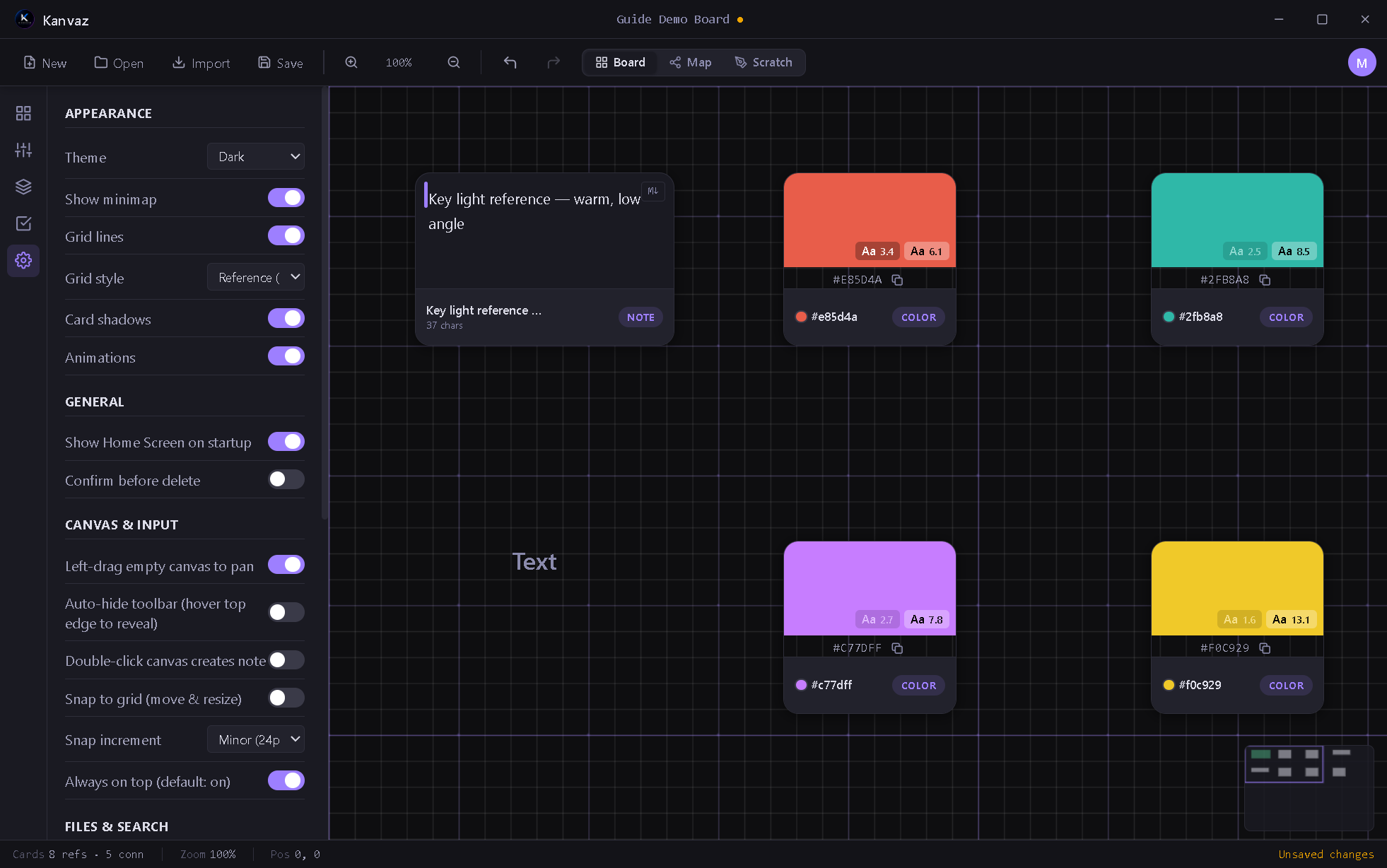
Appearance
| Option | What it does |
|---|---|
| Theme | Dark (default), Light, or any theme a plugin registers |
| Show minimap | The small navigator in the canvas corner |
| Grid lines | The dot/line grid under your cards |
| Grid style | Reference (default), 3D (origin axes), or Game Dev (tile grid) |
| Card shadows | Drop shadows under cards |
| Animations | UI motion — turn off for a snappier, static feel |
General
| Option | What it does |
|---|---|
| Show Home Screen on startup | Land on the Home Screen vs. straight into your last board |
| Confirm before delete | An extra “are you sure” before deleting cards |
Canvas & Input
| Option | What it does |
|---|---|
| Left-drag empty canvas to pan | Pan without needing Space or middle-mouse |
| Auto-hide toolbar | Hover the top edge to reveal it, otherwise hidden |
| Double-click canvas creates note | A quick way to drop a note card |
| Snap to grid | Cards snap to the grid on move/resize |
| Snap increment | Minor (24px) or Major (120px) |
| Always on top | Whether the window floats above others by default (see the Top Mode note in Keyboard Shortcuts) |
Files & Search
| Option | What it does |
|---|---|
| Autosave interval | Seconds between autosaves (10–300) |
| Default card width | The width new cards are created at |
| Smart Search | On-device NLP-powered search — off by default; see Command Palette & Smart Search |
Preview Quality
Controls the default render quality for 3D models, PDFs, and Adobe file previews (Low/Medium/High) — see Media Previews. High quality is flagged with a warning since it costs more to render.
Advanced
Tucked under an “Advanced” disclosure, split into three groups so unrelated tools don’t get mixed together:
- Diagnostics — an FPS/render-time overlay, show card/connection IDs, run Map View diagnostics, generate 50 test cards, or export debug info to the clipboard
- Plugin Dev — Load an unpacked plugin folder for development (see Plugins)
- Reset — Reset Kanvaz’s settings and cache (does not touch your board files)