Kanvaz Guide
Free, open-source, 100% offline reference board for VFX and 3D artists.
Profiles
Verified against Kanvaz v9.7.0.
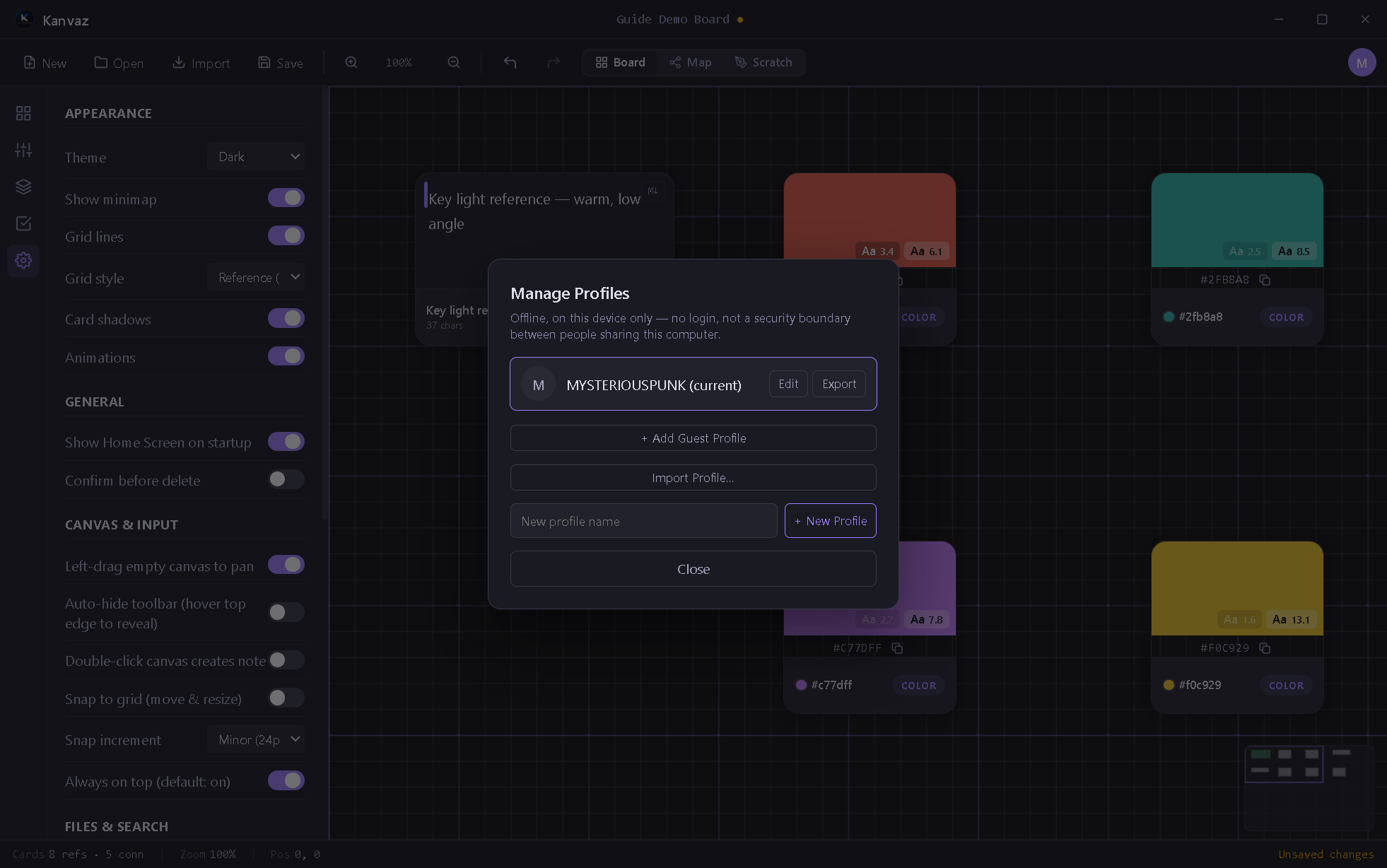
Profiles let multiple people share one Kanvaz install while keeping their own settings, recent-files list, and recovery snapshots separate — with no login and no password. A profile is a preferences partition, not a security boundary: anyone with access to the computer can open or switch any profile. There’s nothing locked, and nothing syncs anywhere.
Open Manage Profiles from your account avatar (top right).
What’s per-profile
- Settings (everything in Settings)
- The recent-boards list
- Recovery snapshots
What isn’t per-profile
Board files themselves — a .kanvaz file is just a file on disk;
any profile can open any board. Profiles only scope preferences,
not board access.
Managing profiles
| Action | What it does |
|---|---|
| Edit | Rename the current profile, set its avatar |
| Export | Save a profile as a portable .kanvazprofile file |
| Add Guest Profile | A quick temporary profile |
| Import Profile… | Load a .kanvazprofile someone exported |
| + New Profile | Create a new named profile |
Switching profiles takes effect immediately — no restart needed.
First run
A fresh install auto-creates one profile named from your OS username. Rename it any time via Edit.
Related
- Settings — what actually lives inside a profile
- About Kanvaz — the offline/no-account model this fits into