Nexus Download

Encrypted personal vault for Windows

Your private files, sealed behind one password.

Nexus keeps your files, notes, logins and personal data in an encrypted vault on your own PC. No account, no cloud, no telemetry.

Free during the public beta. Windows 10 and 11.

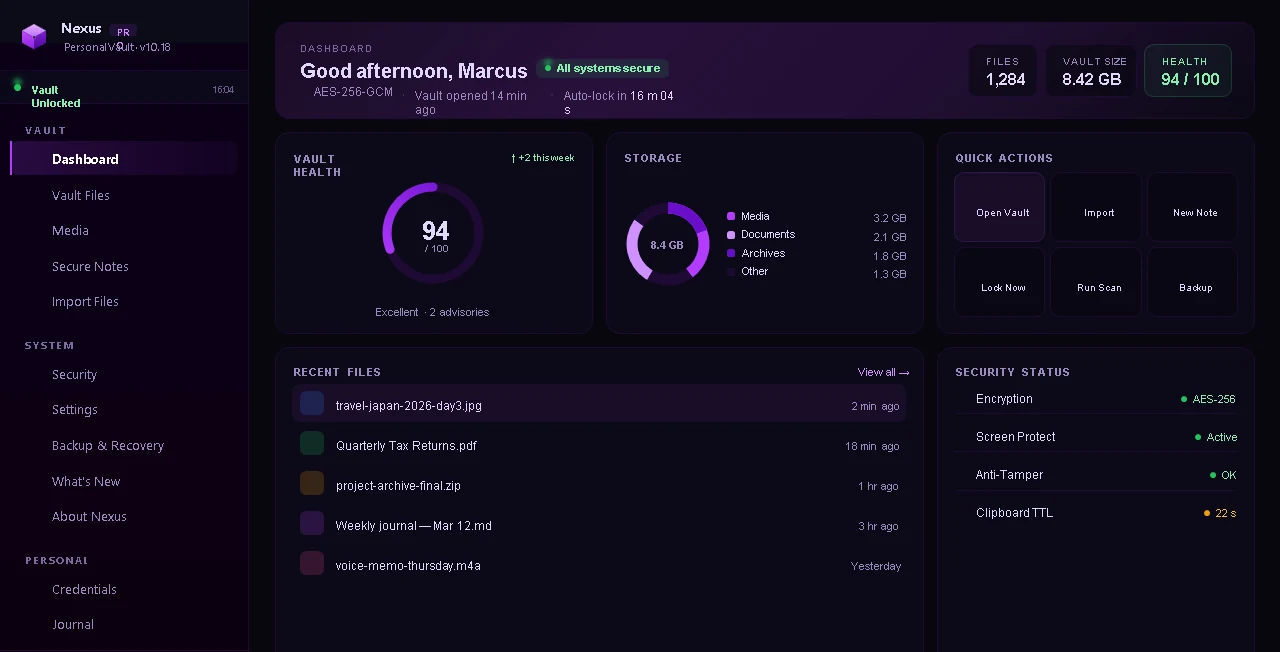
Nexus, Personal Vault
The Nexus dashboard showing vault health, storage and recent files
Design preview. Real screenshots are coming.

Encrypted at rest

AES-256-GCM for your files, with a key derived from your master password using Argon2id.

Offline by design

No account and no server. The one network call is an optional update check to GitHub, and you can turn it off.

Made for one person

Multiple vaults, a recovery phrase, local backups, and a vault that locks itself when you walk away.

Vault files

Drop files in, find them fast

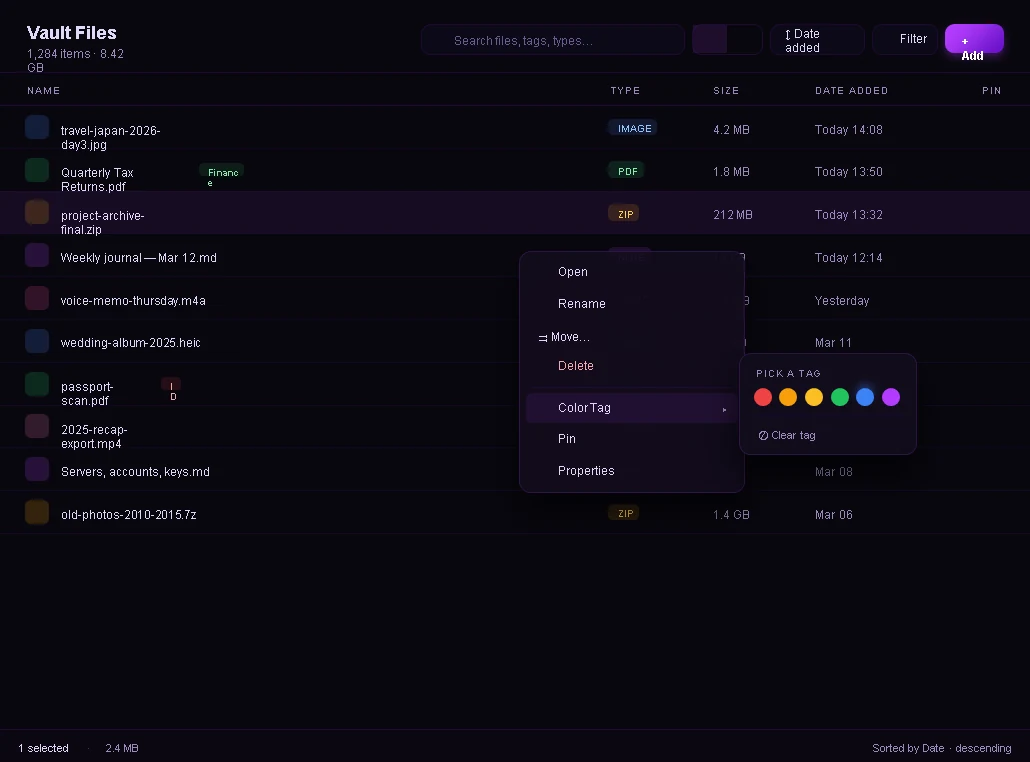
Drag in files and folders. Browse in list or grid view, tag with colors, pin what you use most, and set a file to expire. Smart collections group your vault by type, size and age without you sorting anything.
Vault files
Vault Files in list view with a right-click menu open

Personal data

Logins, notes and a journal in the same vault

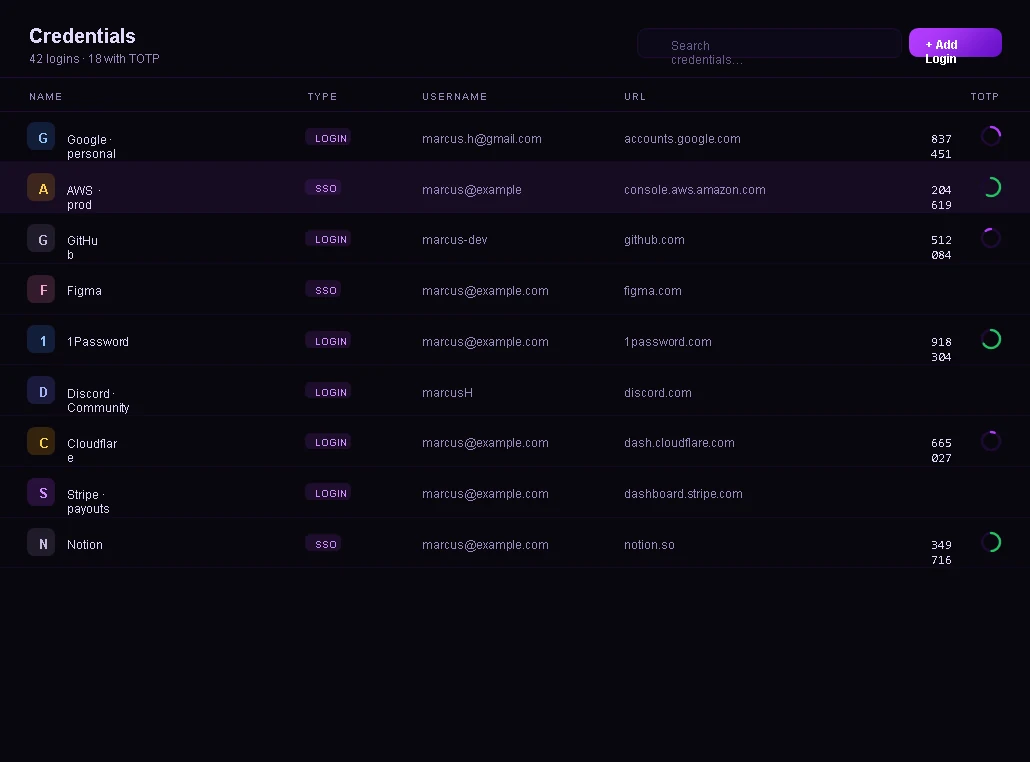
A credentials manager with offline one-time codes, an encrypted journal, bookmarks, contacts and secure notes. All of it is stored inside the same encrypted vault as your files.

Credentials
The Credentials page with logins and one-time codes

Security

Security you can see

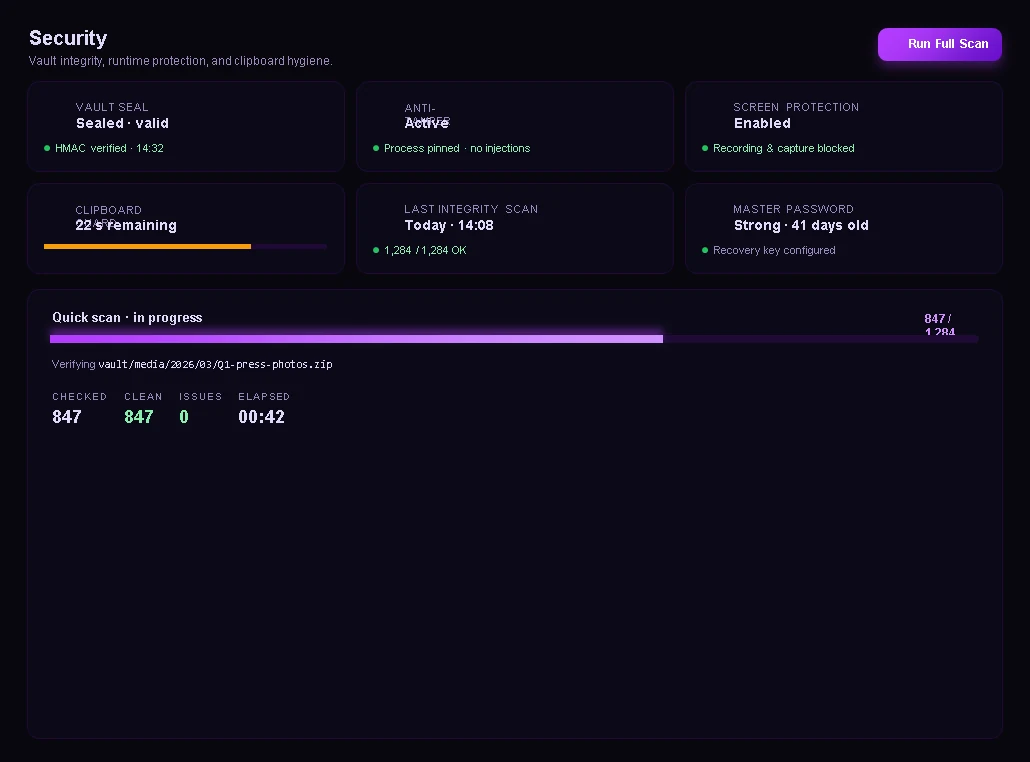
A vault health score, an integrity scan, a tamper-evident activity log, screen-capture protection, auto-lock and a clipboard that clears itself.

Security
The Security page with an integrity scan in progress

Zero-trace launcher

Run other apps and leave nothing behind

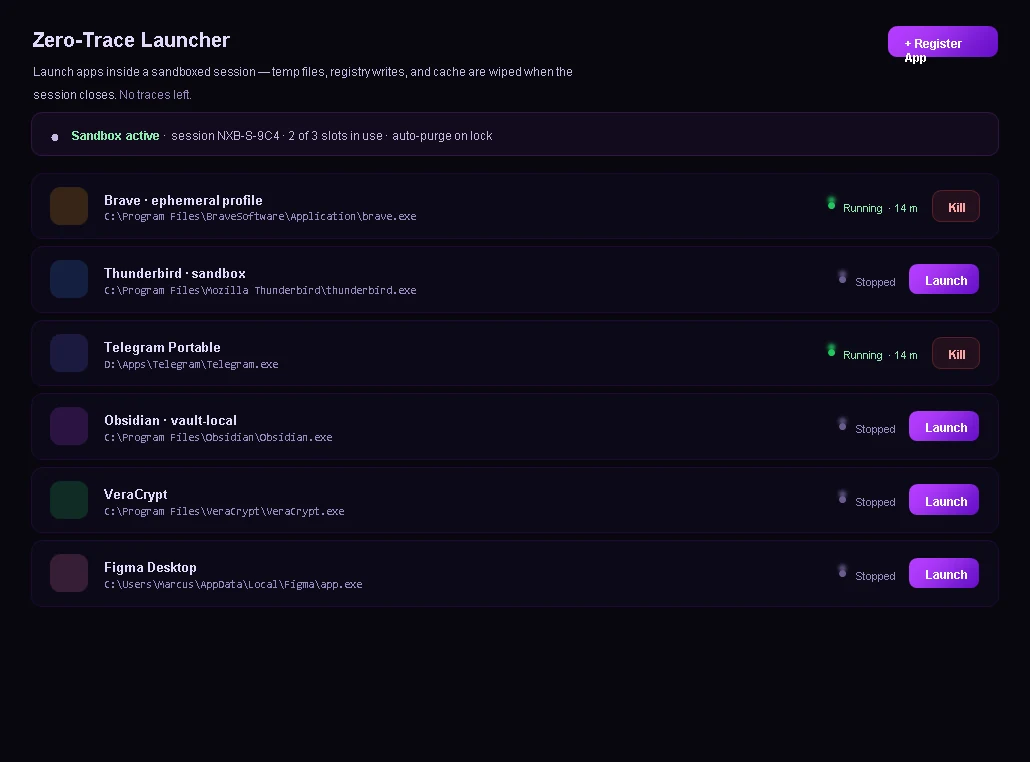
Start another program inside a sandboxed session from Nexus. Temp files and traces from that session are wiped when it closes.

Launcher
The Zero-Trace Launcher with a list of sandboxed apps

Honest about limits

What Nexus does not do

  • No cloud sync, no server and no account system.
  • No code signing yet, so Windows SmartScreen will warn you on first run.
  • No macOS, Linux or mobile version. Windows only.
  • No independent security audit yet. The code is closed source.

Getting started

Three steps

  1. Create a vault. Choose a master password and write down your recovery phrase.
  2. Add your files. Drag them in, or use Import. Nexus encrypts them as they arrive.
  3. Lock it. Close the vault, or let auto-lock do it. Your files are unreadable until you unlock again.

Questions

Before you download

Does it need the internet?

No. Encryption, decryption and license-key checks all happen on your PC. The only network call is an optional check for new releases, which talks to GitHub only and which you can switch off in Settings.

What if I forget my master password?

Use the recovery phrase you wrote down at setup. If you lose both, nobody can recover your vault, including us. That is by design, and there is no cloud password reset.

Is Nexus open source?

No. Nexus is closed source. The GitHub page hosts the downloads, the documentation and the issue tracker.

Why does Windows show a warning when I run it?

Nexus is not code-signed yet, so SmartScreen flags it like any new unsigned program. The download page explains how to check the file is the one we published before you run it.

What does it cost?

It is free during the public beta. A one-time lifetime license is planned for after the beta. See Pricing.

Try it during the beta

Download Nexus, ask for a beta key on Discord or by email, and tell us what breaks. We read every report.